Most business owners assume their website is tracking something. It probably isn't, or it's tracking the wrong thing entirely. Either nobody ever installed analytics in the first place, or the "expert" who built the site left behind a setup that's technically broken and quietly limping along on borrowed luck.
Neither of these is a small problem. If you don't know which pages convert, which channels bring in enquiries, or whether people even finish your contact form, every marketing decision you make is a guess dressed up as a strategy. And the worst part? You probably think you're covered.
Most business owners assume their website is tracking something. It probably isn't, or it's tracking the wrong thing entirely. Either nobody ever installed analytics in the first place, or the "expert" who built the site left behind a setup that's technically broken and quietly limping along on borrowed luck.
Neither of these is a small problem. If you don't know which pages convert, which channels bring in enquiries, or whether people even finish your contact form, every marketing decision you make is a guess dressed up as a strategy. And the worst part? You probably think you're covered.
Key summary
- A lot of small business websites have no analytics installed at all, so there's zero visibility into what's actually happening on the site.
- Others have analytics, but it's a leftover Universal Analytics (UA) tracking code that stopped processing data in July 2023.
- Some of those sites are still showing "data" because the UA tag happens to sit alongside a linked GA4 property. That's luck, not setup.
- Having Google Analytics installed doesn't mean anything is being measured. Key events (conversions) are almost never configured by default.
- If you can't say which page, campaign or channel actually drives enquiries or sales, you're guessing.
- Getting this right takes an hour or two once, and it changes every marketing decision after that.
The DIY website that never got analytics in the first place
Plenty of small businesses build their own site on Squarespace, Wix or Shopify, get it looking decent, and call it done. Analytics never makes the list. There's no GA4 property, no Google Search Console, nothing tracking where visitors come from or what they do once they land.
This is the default state for a huge number of small business websites in Australia. The business owner checks their bank balance to see if marketing is "working." That's the entire measurement strategy.
The fix here isn't complicated. Setting up GA4 on a DIY platform takes minutes. The reason it doesn't happen is that nobody flagged it as important, not that it's hard.
The "expert" setup that's quietly broken (hello, zombie Universal Analytics)
This one stings more, because someone was paid to do it properly. A web developer builds the site, drops in "the analytics code," and moves on. Except the code they used is Universal Analytics, the version of Google Analytics that Google fully retired in July 2023.
UA doesn't process new data anymore. It hasn't for years. If that's the only tracking code on your site, you have been collecting exactly nothing since the shutdown, and nobody told you.
Here's the twist that makes this dangerous: some of these sites are still showing numbers somewhere, usually because a GA4 property was set up around the same time and happens to still be linked. The business owner opens a dashboard, sees traffic, and assumes everything's fine. It's not fine. It's a coincidence wearing a lab coat.
If you've never personally checked which tracking code is live on your site, or when it was last touched, that's worth doing today.
Tracking's switched on, but nobody set up the events that actually matter
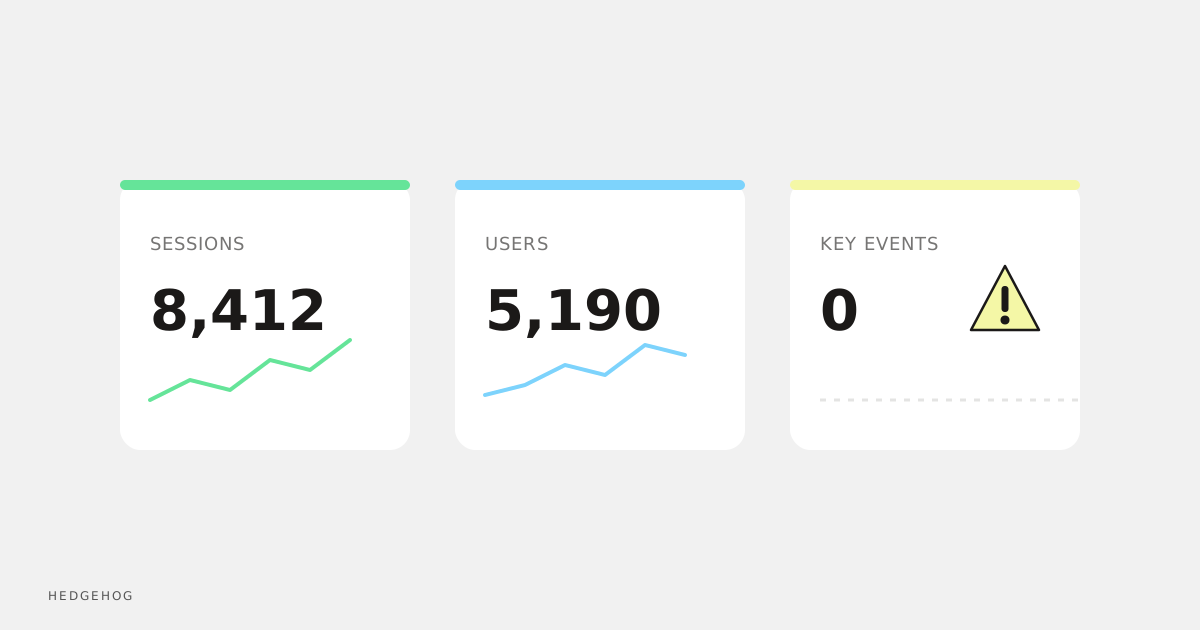
Even when GA4 is installed correctly, that's only step one. GA4 doesn't automatically know that a form submission, a phone click, or a "request a quote" button is a conversion. Those need to be set up as key events.
Skip this step and GA4 will happily tell you how many people visited your site and how long they stayed, while staying completely silent on whether any of them actually became a lead. You'll have a dashboard full of numbers and not one of them will answer the question you actually care about: is the website generating business?
This is the gap we see most often with businesses who "have analytics." The account exists. Nothing meaningful is being measured inside it.
Why "I think it's working" isn't good enough
Every dollar spent on ads, SEO or content is a bet on a channel. Without proper tracking, you can't tell which bets are paying off. You end up making decisions based on vibes: "Facebook feels like it's working," "we get a lot of calls after the newsletter goes out," "I think the blog helps."
Feelings aren't a reporting mechanism. A business owner who can see, in black and white, that Google Ads delivered eleven enquiries last month at a known cost, while the Facebook campaign delivered one, will make a completely different budget decision than one who's going on gut feel. That gap compounds every single month you leave it unresolved.
This is about being able to answer one simple question with confidence: where do our customers actually come from?
How to actually check if your analytics are telling you the truth
You don't need to be technical to do a basic health check. Here's what to look at:
- Open your site's source code or use a browser extension like Google Tag Assistant and check which tracking IDs are firing. If you see a UA property ID (it starts with "UA-"), that's dead weight, not data.
- Log into Google Analytics and confirm you're looking at a GA4 property, not the old Universal Analytics interface (Google removed most UA reporting access anyway, but confirm you're not still being sent old screenshots or reports).
- Check the "Key events" section under Admin > Events in GA4. If nothing's marked as a key event, none of your conversions are being counted, even if the traffic data looks fine.
- Cross-check a recent lead or sale against your analytics. Can you actually see it in the data? If not, something's misconfigured.
If any of this raises questions, that's normal. Most business owners have never had a reason to look this closely. That's exactly why so many sites are running on broken or missing setups without anyone noticing.
Frequently asked questions
How do I know if my website still has Universal Analytics installed?
Check your site's tracking code for an ID starting with "UA-". If you find one, it's been dead since July 2023 and should be removed, ideally alongside a proper GA4 audit to confirm what, if anything, is actually being tracked.
What are "key events" in GA4 and why do they matter?
Key events are GA4's version of conversions, things like form submissions, phone clicks or purchases. Without them configured, GA4 shows you traffic and behaviour but can't tell you whether any of it turned into business.
Can I set up GA4 myself, or do I need a developer?
Basic GA4 installation can be done without a developer, especially on platforms like Shopify, Squarespace or Wix. Key event configuration and Google Tag Manager setup benefit from someone who's done it before, since small mistakes here are exactly how businesses end up with data that looks fine but isn't.
We had a website built professionally. Why would tracking still be wrong?
Because "install analytics" is often treated as a checkbox, not a discipline. A developer can build a beautiful, fast website and still drop in outdated tracking code, or install GA4 without ever configuring key events. Design skill and analytics skill aren't the same thing.
How often should analytics setups be checked?
At minimum, whenever the website is rebuilt, the platform changes, or a new developer touches the site. Beyond that, a yearly check is a sensible habit, since tracking can silently break without any visible change to the site itself.
Wrapping up
If you've never personally verified what your website is tracking, assume it's either not tracking the right things or not tracking anything at all. That's not a dig, it's just how common this problem is. The good news is that fixing it is straightforward once someone actually looks.
Start with the basics: confirm you're on GA4, confirm key events are configured, and confirm the numbers you're looking at match reality. If any of that turns up gaps, get it sorted before you spend another dollar on marketing you can't properly measure.