You can no longer fully switch off a placement in Meta Ads. Not properly, anyway. Through August and September 2026, Meta has been quietly replacing hard placement exclusions with something called "value rules", and a value rule can only discount a placement's bids by up to 90%. It can't block it outright.
If you've been relying on excluding Audience Network, Messenger Stories, or a specific low-quality placement to protect your budget, that lever doesn't work the way it used to. Here's what actually changed, and how to get the same protection using the tools Meta left you.
You can no longer fully switch off a placement in Meta Ads. Not properly, anyway. Through August and September 2026, Meta has been quietly replacing hard placement exclusions with something called "value rules", and a value rule can only discount a placement's bids by up to 90%. It can't block it outright.
If you've been relying on excluding Audience Network, Messenger Stories, or a specific low-quality placement to protect your budget, that lever doesn't work the way it used to. Here's what actually changed, and how to get the same protection using the tools Meta left you.
Key summary
- Meta has replaced manual placement exclusions with "value rules" across ad sets, rolling out through August and September 2026
- A value rule can discount bids on a placement by up to 90%, but it cannot switch a placement off completely
- Standing exclusions that used to sit at the ad set level should be moved to account-level Advertising Settings under Account Controls
- The rollout has been staggered with no single fixed date, so check each account individually rather than assuming it's already live everywhere
- This sits alongside other placement changes this year: Messenger Stories and Instagram Explore Feed have both been removed as standalone placements
- The practical fix is a 90% bid discount treated as a functional "off," paired with close monitoring of spend that still leaks through
What a "value rule" actually is
A value rule tells Meta's delivery system to treat certain outcomes as worth more or less than others. Originally, value rules were about bidding, telling Meta that a purchase from a returning customer is worth more than one from a first-timer, for example.
Meta has extended that same mechanism to placements. Instead of an on/off toggle for "show my ad on Audience Network" or "show my ad in Messenger Stories," you now set a value rule that discounts the bid for that placement. At a 90% discount, Meta will still serve there if the auction is cheap enough. It just won't compete hard for it.
That's a meaningful difference from a true exclusion, where the placement simply never gets your ad regardless of price.
Why Meta made this change
Meta's stated position is that Advantage+ placements (letting the algorithm choose where to serve) consistently outperform manually restricted placement sets, because the delivery system can chase efficient inventory in real time. Hard exclusions fight against that by removing options the algorithm might otherwise use well.
Whether or not you buy that argument, the practical reality is the same: Meta wants fewer levers pulling against its own optimisation, and placement exclusions were one of the biggest ones advertisers used. Value rules are the middle ground. Meta keeps flexibility, and you keep some control.
Where this rollout stands right now
This isn't a single flip-the-switch change. It's rolling out account by account through August and September 2026, and Meta hasn't published one universal cutover date. Some advertisers have already lost the option to fully exclude placements at the ad set level. Others still see the old exclusion checkboxes for now.
Don't assume your account is unaffected just because you haven't noticed a change yet. Check your ad set placement settings directly, and don't be surprised if the answer is different across two campaigns in the same account.
Moving standing exclusions to account-level controls
If you've relied on ad-set-level exclusions (blocking Audience Network for a lead-gen client, say, or keeping a b2b account off Facebook's in-stream video), the fix is to move that logic up a level.
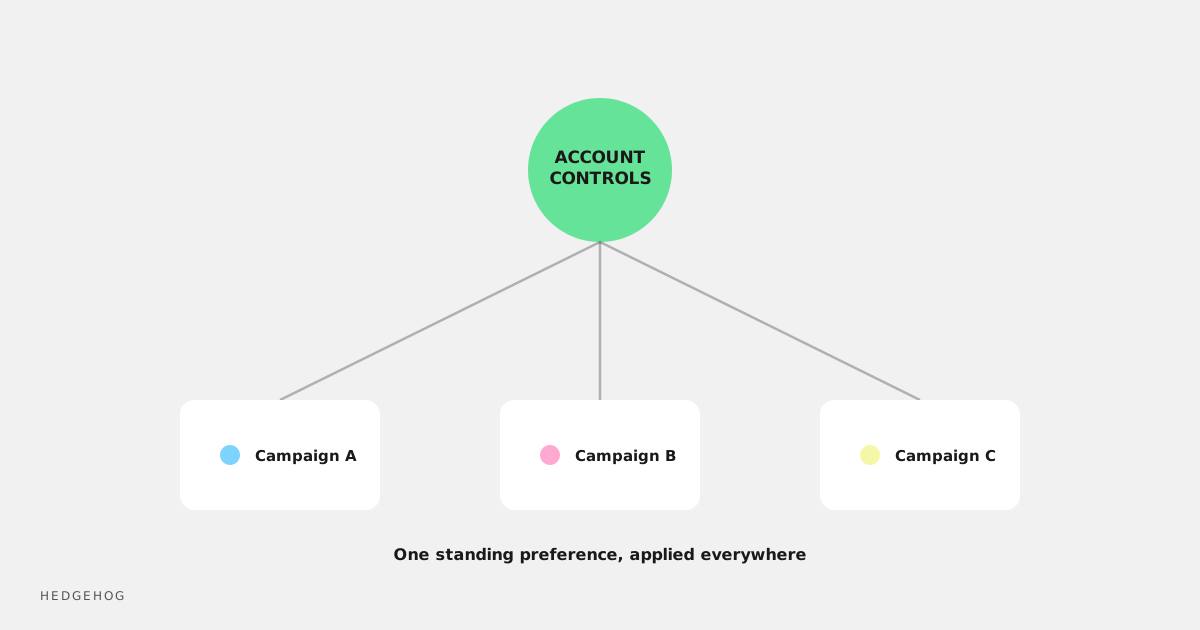
Meta's account-level Advertising Settings, under Account Controls, still let you set standing preferences that apply across campaigns. It's not identical to a hard per-ad-set exclusion, but it's the closest thing left, and it's less likely to be quietly overridden by an algorithm chasing efficiency inside a single campaign.
Go through every active account and check what standing preferences are actually set at that account level. Don't assume last year's setup is still doing the job: several related placements (Instagram Explore Feed, Messenger Stories) have been removed outright in the same window, which may have already changed what you're excluding without you touching anything.
How to use a 90% discount as your new "off"
Since a full block isn't available, treat the maximum bid discount as your practical substitute:
- Apply a 90% value rule discount to any placement you'd previously have excluded entirely
- Monitor spend by placement weekly rather than monthly while this beds in: a small amount of budget can still leak through at a steep discount if competition is thin
- Where a placement is unsuitable (compliance-sensitive industries, brand safety concerns), pair the discount with account-level controls rather than relying on either alone
- Don't assume a 90% discount behaves identically across every account: auction dynamics vary, so check actual delivery data rather than trusting the setting alone
What to tell clients or stakeholders
If you manage accounts for other people, this is worth flagging proactively rather than waiting for someone to notice a placement report looks different. Frame it plainly: Meta removed the ability to fully block certain placements, replaced it with a steep bid discount, and you've adjusted account-level settings and monitoring to compensate. That's a much easier conversation to have upfront than explaining after the fact why an excluded placement is suddenly showing spend again.
Frequently Asked Questions
Can I still fully exclude a placement in Meta Ads?
Not at the ad set level in accounts where this rollout has landed. You can apply a value rule that discounts bids on that placement by up to 90%, which functions as a near-exclusion but isn't a guaranteed block.
When did this change happen?
It's been rolling out in stages through August and September 2026, without one fixed date across all accounts. Check your own ad set placement settings directly rather than assuming based on when you last read about it.
What happened to Messenger Stories and Instagram Explore Feed?
Both have been removed as standalone placements this year, separate from the value rules change. If you were specifically excluding either of these, they may no longer appear as an option at all because the placement itself is gone.
Is this the same as Advantage+ placements?
Related but not identical. Advantage+ placements is Meta's broader push toward algorithm-chosen placement mixes. Value rules are the mechanism you now use if you still want some manual influence over which placements get more or less of your budget.
What should I actually do this week?
Check every active ad set for whether hard exclusions are still available. Where they're not, apply a 90% value rule discount to any placement you'd have blocked, and move standing preferences to account-level Advertising Settings.
Wrapping up
Meta hasn't removed your ability to steer where your ads show up. It's just made the control softer. A 90% bid discount and account-level Advertising Settings are the closest thing to the old exclusion checkbox, and they're worth setting up properly now rather than discovering budget leaking into a placement you thought was blocked.