Boosting a post is not running a Meta Ads campaign. It's paying Meta to show your post to more people who may or may not have any reason to care about your business. It feels like advertising because money changes hands. It isn't, really.
If you've boosted posts without seeing results and concluded that Meta Ads don't work for your business, this post is for you. The platform works: the setup was wrong.
What you'll learn in this post
- The decision that determines everything else: campaign objective
- How campaign structure actually works (and why it matters)
- What your audience setup should look like
- Creative requirements that most small businesses miss
- Budget logic that makes sense for small accounts
- The one thing to check before you spend a dollar
The decision that determines everything else: objective
Before you touch targeting, creative, or budget, you need to answer one question: what do you want someone to do after seeing your ad?
Meta organises its campaigns around objectives, and the objective you choose determines which people the algorithm shows your ad to and what it optimises for. Get this wrong and everything downstream is broken.
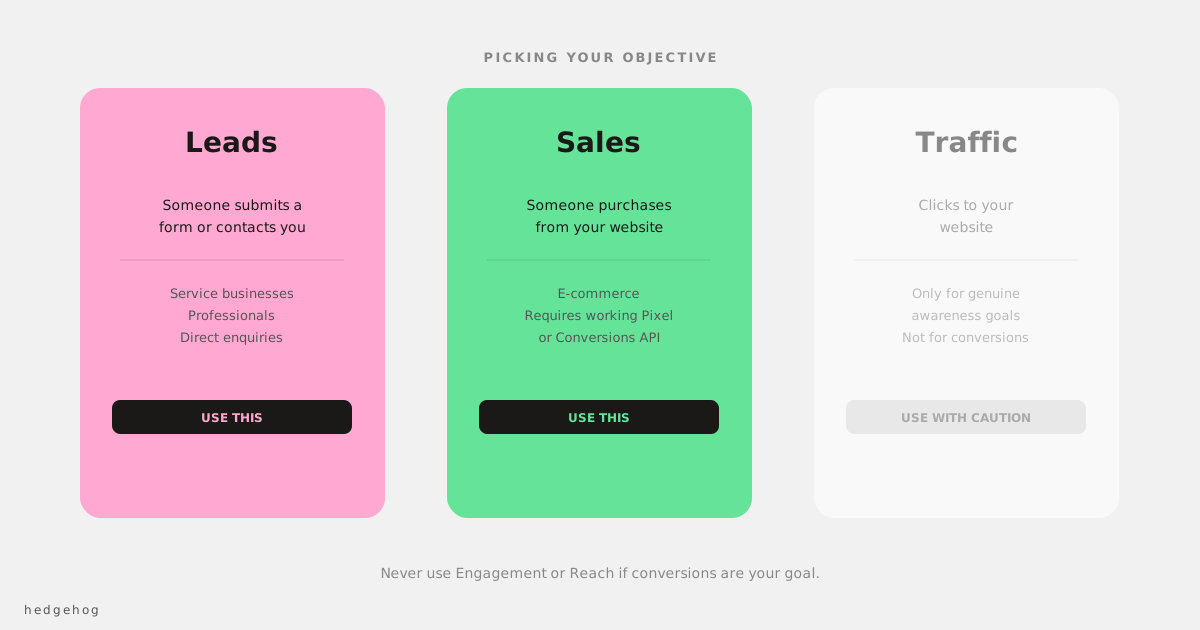
The three objectives most small businesses actually need:
Leads: you want someone to submit a form or contact you. Use this for service businesses, professionals, and anyone where a direct enquiry is the conversion.
Sales: you want someone to purchase from your website. Use this for e-commerce. Requires a properly installed Meta Pixel or Conversions API.
Traffic: you want clicks to your website. Use this carefully and only when awareness is the goal. Most small businesses using Traffic are actually trying to drive sales and measuring the wrong thing.
Do not use Engagement, Reach, or Brand Awareness for performance goals. These optimise for interactions (likes, comments, impressions), not for commercial outcomes. They're also what Meta defaults toward when you boost a post, which is why boosted posts rarely generate leads or sales.
How campaign structure works
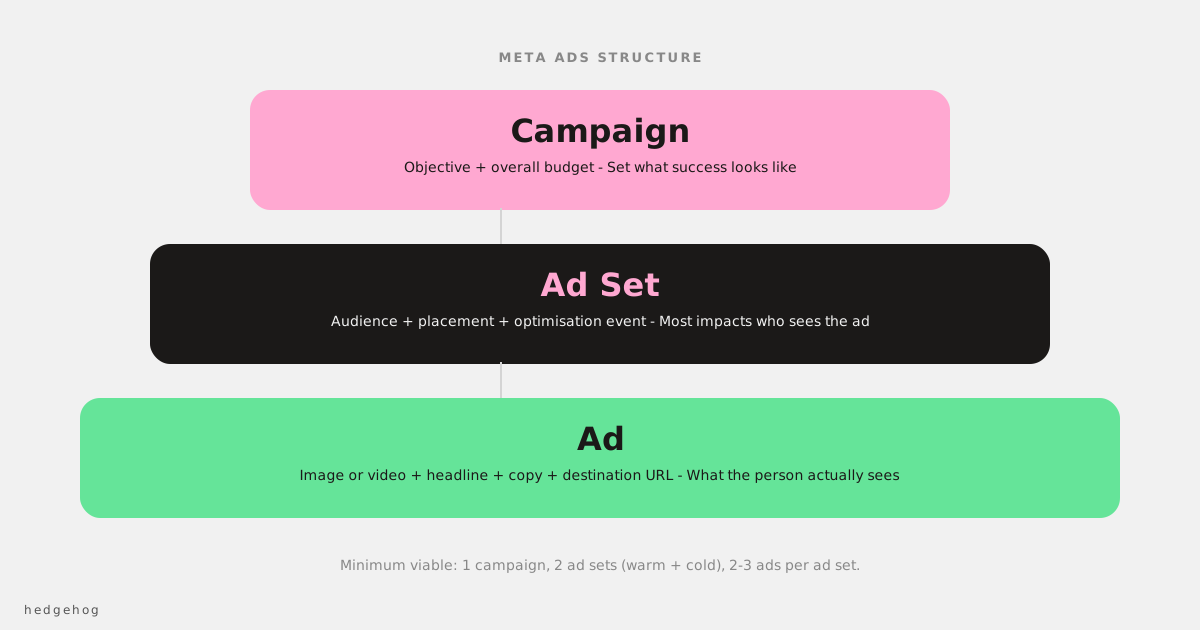
Meta Ads are organised in three levels:
Campaign: where you set the objective and overall budget (or let each ad set have its own budget).
Ad Set: where you set your audience, placement, optimisation event, and budget. This is the level that most significantly affects who sees your ad.
Ad: where you set the creative: images or video, headline, copy, and destination URL.
The reason this matters: different audiences, different budgets, and different objectives go at different levels. Running one ad set with one audience is the most common small business mistake. You have no way of knowing what's working because there's nothing to compare.
A minimum viable structure for a small business starting out: one campaign, two ad sets (one warm audience (website visitors, email list) and one cold audience), two to three ads per ad set. This gives the algorithm enough to optimise against without over-complicating things.
Audience setup
Cold audiences (new customers)
The cleanest cold audience for most small businesses is a Lookalike Audience built from your best existing customers: ideally your purchasers or highest-value leads. Upload a customer list, ask Meta to build a 1% Lookalike (the most similar 1% of the Australian population), and use that as your cold targeting.
If you don't have a customer list, interest-based targeting is the fallback. Pick interests that are specific to your customer, not demographics like "small business owners" (too broad) but the specific tools, publications, or communities your customer actually engages with.
Warm audiences (retargeting)
These are people who already know you: website visitors, people who've engaged with your Instagram or Facebook page, or video viewers. These audiences convert at higher rates than cold audiences because the trust barrier is lower.
Set up a website visitor retargeting audience from the Audiences section of Ads Manager. Include people who visited in the last 30 days as a starting point.
Critical: exclude your existing customers from cold audiences. If you're advertising to people who've already bought from you, you're paying for acquisition when you should be paying for retention, and they should be in a different campaign with different messaging.
Creative requirements most small businesses miss
The algorithm is only as good as the creative you feed it. These are the things that most commonly kill Meta Ads performance at the creative level:
The first three seconds are the only seconds that matter for video
If the hook isn't in the first three seconds, most people never see the rest. The hook should state the problem or make a specific claim, not introduce your brand. Your brand can come in once you have their attention.
Text on image: keep it minimal
Meta's algorithm deprioritises images with heavy text overlays. More importantly, your audience is scrolling at speed and a cluttered image doesn't stop thumbs. One clear image with one clear message outperforms a designed graphic with six copy points every time.
The ad has to look native
An ad that looks like a billboard looks like an ad and gets scrolled past. Content that looks like it was made by a person (slightly rough video, a real customer testimonial, a founder talking to camera) gets more attention because it fits the visual language of the platform.
Budget logic for small accounts
Most small businesses are running Meta Ads with too little budget spread across too many ad sets. The algorithm needs data to optimise, and data costs money. An ad set with $5/day generating two conversions a week cannot be meaningfully optimised.
A practical starting point: $30-50/day per ad set for the first 4-6 weeks, which gives the algorithm enough data to exit the learning phase (approximately 50 optimisation events). Better to run fewer ad sets at adequate budget than many ad sets at ineffective budget.
Once you have performance data, cut the underperformers and reallocate to what's working.
The one thing to check before you spend a dollar
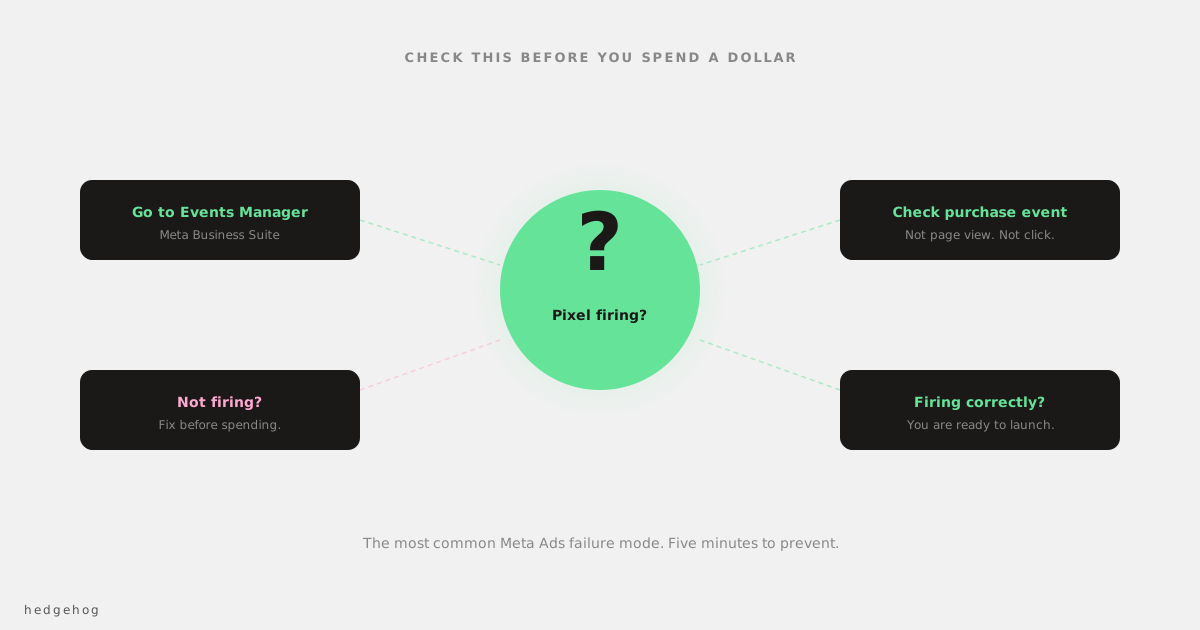
Your Pixel (or Conversions API) must be firing on the right conversion event before you run any campaign that optimises for conversions.
Go to Events Manager in your Meta Business Suite and verify that your purchase or lead event is firing correctly on your website. If it isn't set up, the algorithm has no conversion signal to optimise against and will spend your budget showing ads to people who look like people who clicked ads, not people who look like people who bought something.
This single check prevents the most common Meta Ads failure mode.
Frequently Asked Questions
How long before I know if my Meta Ads are working? Give it at least 4-6 weeks before drawing conclusions. The first two weeks are the learning phase, where the algorithm is gathering data and performance is often inconsistent. Judgements made in the first week are almost always wrong.
Should I use Advantage+ or manual targeting? If you have strong pixel data (50+ purchase events per week), Advantage+ is worth testing. If you're starting out or have thin data, manual targeting with a Lookalike Audience gives you more control while the algorithm learns.
What's a good cost per lead or cost per sale? This depends entirely on your margins and customer value. There's no universal benchmark. The question to ask is: at this cost per acquisition, is the customer profitable? Work backwards from your numbers, not forwards from industry averages.
Do I need a big budget to see results? No. But you need an adequate budget per ad set. Spreading $20/day across five ad sets will not work. Putting $30-50/day into one well-structured ad set, for long enough to exit the learning phase, is a better starting point.
Start with structure, not spend
The most common Meta Ads failure isn't insufficient budget. It's incorrect objective selection, non-existent conversion tracking, and creative that doesn't stop the scroll. Fix those three things before increasing spend.
If you want to know whether your current setup has any of these issues, an account audit is the fastest way to find out.
